Everything in one place
Films, materials and fees live on the same entry.

Submissions management
Categories, deadlines and fees stay organized in one inbox — not another spreadsheet.
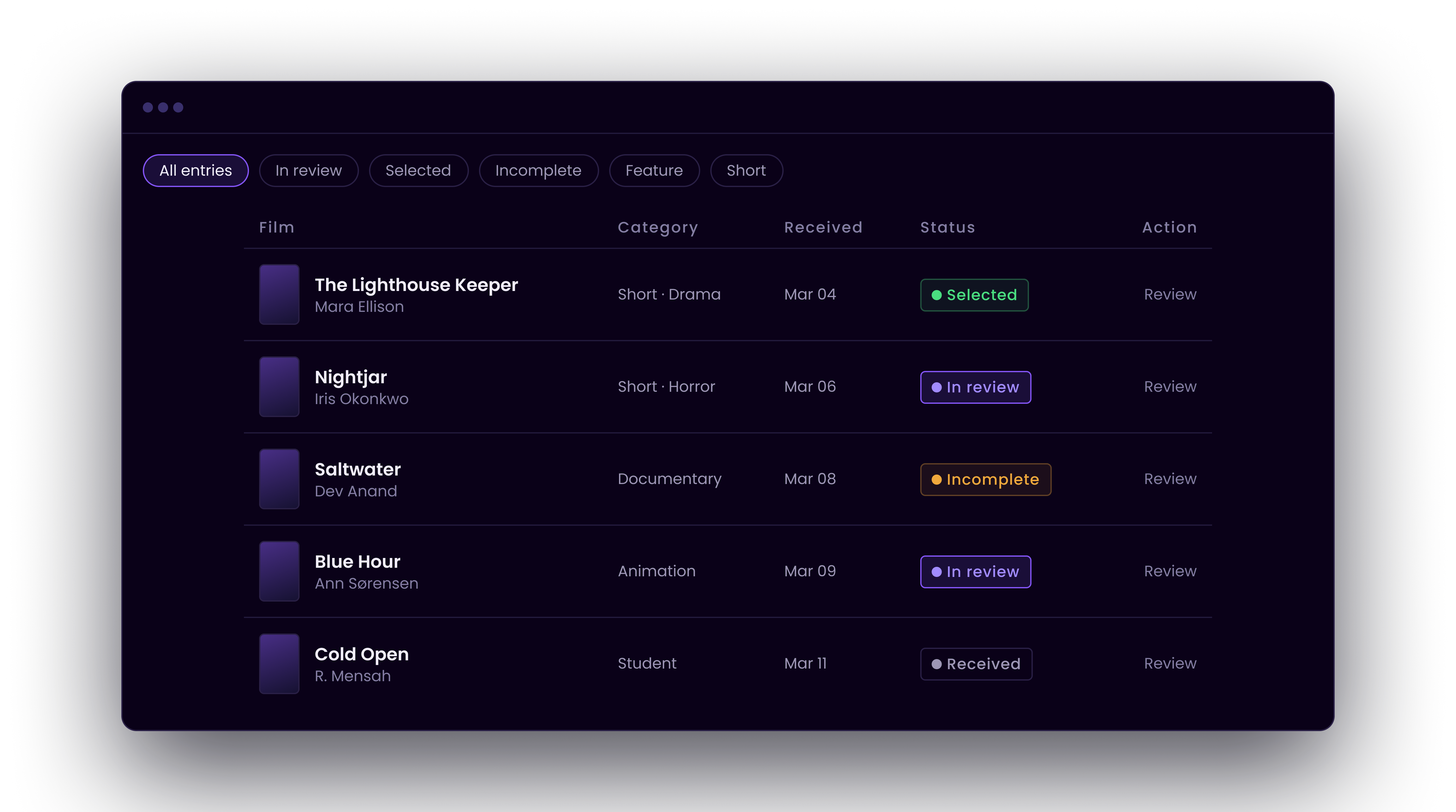
The inbox
See status, categories and judging readiness without rebuilding filters in sheets.
Films, materials and fees live on the same entry.
Know what needs info, review or selection next.
Hand complete entries to panels without remapping.
Follow films across categories without duplicate uploads.
Inside the workspace
The setup you configure is the same structure filmmakers see, judges inherit and programming reads from.
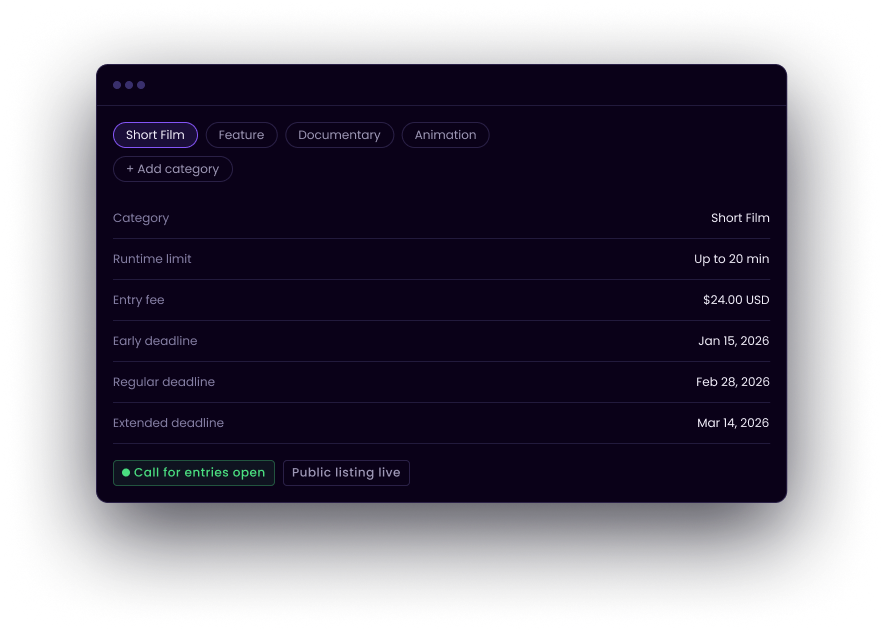
How it works
Configure categories, requirements, fees and deadlines.
Filmmakers submit projects and required information through CineLot.
Organize qualified entries and continue directly into review.
Yes. Configure categories, fees and deadlines per call for entries and track each path separately.
Configure your call for entries and start receiving films.